Brevity

When it comes to effective communication, small beats large; short beats long; and plain beats complex. Sometimes, visual beats them all.

The quote above, from Dr. Frank Luntz in his book Words that Work, is an appropriate challenge for every leader. Good leaders communicate. They may use the written word, they may use the spoken word, they may use only visuals and no words, but good leaders communicate.

How are you doing in your communication? Are your words simple, to the point, and memorable? Are your words consistent with your actions? Can the reader or listener visualize your intent?

Or, are no words at all the best path to take? We live in a society almost overwhelmed by the visual image – and we ask for more! Sometimes, a visual image is the best “word” we can use.

Communication – written, spoken, or visual – is just a tool you as a leader have at your disposal. But what a powerful tool!

Communicate with passion, purpose, and persuasiveness in all your communications – and you will be well along the path to becoming a great leader.

inspired by, and adapted from, Words That Work, by Frank Luntz

Words that Work

What Are People Saying to Each Other – About YOU?

Satisfied customers tell three friends…angry customers tell 3,000.

The title of the book by Pete Blackshaw captured my attention and I wondered: Is this true for churches as well?

Blackshaw’s work documents how the balance of power for today’s businesses has shifted – the consumer is now in control. In the world of Consumer Generated Media (CGM) via Instagram, blogs, YouTube, social networking sites, etc. a single disgruntled customer can broadcast his opinion to millions and derail a company or undermine a global brand. Companies can’t ignore CGM, and have nowhere to hide. According to Blackshaw, the only response is creating 100 percent credibility by establishing:

  • Trust
  • Authenticity
  • Transparency
  • Active Listening
  • Responsiveness
  • Positive Affirmation

I know this is a business book, but the more I get into it, the more I find application for churches. Here are a few questions I have:

  • Are churches impacted by consumer-to-consumer communication?
  • Do churches have reason to be concerned about what people are “saying” about them?
  • How can churches find out if CGM is going on?
  • How can churches make positive use of CGM?

What do you think? What can you add to the conversation?


Doing Daily Battle with the Curse of Knowledge

My name is Bob Adams, and I’m a knowledge addict.

As such, I also suffer from the Curse of Knowledge. Best documented by Chip and Dan Heath in their excellent book Made to Stick, it is defined as:

Once we know something, we find it hard to imagine what it was like not to know it.

Our knowledge has  “cursed” us.
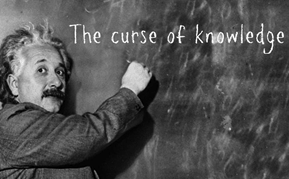
Curse of Knowledge

courtesy schneiderb.com

The Heaths recount a famous study done in 1990 by Elizabeth Newton as she earned a PhD in psychology at Stanford. She created a simple game in which she assigned people to one of two roles: “tappers” or “listeners”.

Tappers received a list of twenty-five well-known songs, such as “Happy Birthday to You” and “The Star-Spangled Banner.” Each tapper was asked to pick a song and tap put the rhythm to a listener by knocking on a table. The listener’s job was to guess the song based on the rhythm being tapped.

The listener’s job in this game is quite difficult. Over the course of Newton’s experiment, 120 songs were tapped out. Listeners guessed only 2.5% of the songs: 3 out of 120.

The real revelation came by what happened before the tapping game: When Newton asked the tappers to predict the odds that the listeners would guess correctly, they predicted the odds at 50%.

Fail.

The problem is that the tappers have been given knowledge (the song title) that makes it impossible for them to imagine what it’s like to lack that knowledge.

When they’re tapping, they can’t imagine what it’s like for the listeners to hear isolated taps rather than song.

That, my friends, is the Curse of Knowledge.

Once knowing something, it becomes difficult for us to share our knowledge with others, because we can’t readily re-create our listeners’ state of mind.

Becoming an expert in something means that we become more and more fascinated by nuance and complexity. That’s when the Curse of Knowledge kicks in, and we start to forget what it’s like not to know what we know.

Novices at anything perceive concrete details as concrete details. Experts perceive concrete details as symbols of patterns and insights that they have learned through years of experience. Because they are capable of seeing a higher level of insight, they naturally want to talk on a higher level.

That, most likely, leads to communication problems.

When you have worked for years in your particular area of specialty, it’s easy to forget that a lot of the world has never heard of your particular area of specialty, or at least at the depth you want to discuss it.

It’s easy to forget that you’re the tapper and the world is the listener.

How can you overcome the Curse of Knowledge?

The Heaths offer a couple of suggestions:

  • Giving our audience permission to ask “Why” as many times as necessary helps to remind us of the core values and principles that underlie our ideas and forces us to backtrack to the foundation of our passion.
  • Stories can almost single-handedly defeat the Curse of Knowledge. Stories have an amazing dual power to simulate and to inspire. Look for the good ones that life generates every day to get to the heart of the issue.

As for me, I will always have the Curse of Knowledge – I’m driven to learn more and more about many different topics. I don’t think there’s anything wrong with that. My passion and my vocation intersect in my job: as the Vision Room Curator for Auxano, I’m expected to dive daily into the vast and expanding knowledge pool out there…

…I’ve just got to remember that I’m a tapper, and you’re a listener. 

inspired by Made to Stick, Chip and Dan Heath

Made to Stick

The Basic Four of Leadership: # 2 – Communicate

A senior leader’s job isn’t to have all the ideas or even most of them. Her job is to communicate corporate goals to employees and motivate them to achieve them. – Adrian Gostick and Chester Elton

A 200,000-person study by the Jackson Organization confirmed that managers who achieve enhanced business results are significantly more likely to be seen by their employees as strong in the Basic Four areas of leadership:

  • Goal Setting
  • Communication
  • Trust
  • Accountability

Authors Adrian Gostick and Chester Elton used that study as a foundation in their book The Carrot Principle, adding on the accelerator of frequent and effective recognition to illustrate that the relationship between recognition and improved business results is both highly predictable and proven to work.

As in all good things, you must start with the basics.

Communicating Openly

When you stop to think about it, communication within an organization is going to happen without a leader’s active participation. Communication is happening every day among employees. If a thing or a person or an event exists in an organization, someone, somewhere, is talking about it. So when a leader fails to constantly and openly communicate “who we are and what’s important,” the conversation doesn’t stop. The dialogue among employees just goes in a different direction, and the organization’s culture develops away from the leader’s influence, goals and priorities.

So what do leaders who openly communicate do? For starters:

  • Set clear guiding values and goals
  • Discuss issues facing the organization and the team – not just the big decisions and announcements
  • Pass on all useful bits of information to employees, especially those that involve change initiatives or that personally affect employees
  • Make time for employees and listen intently when they express opinions and concerns
  • Welcome open discussion from team members about rumors they hear
  • Respond promptly to team member requests for more information
  • Go up their own chain of command to fill in the details they don’t know
  • Introduce employees to other key individuals in the organization, sparking dialogue
  • Give employees online access to relevant databases

Leaders communicate on many other levels as well. They communicate by example, gesture, their decisions, what they value, and what they celebrate, what they reward and what they don’t reward, and their actions.

The one thing they can’t do is communicate from their office.

While meetings, conference calls, and reports are all important, the things that keep leaders in their offices are nowhere near as important as open communications with their team.

It’s impossible to lead people without open communication.

And that requires you to open your door and take a walk…

Adapted from The Carrot Principle by Adrian Gostick and Chester Elton

Part 3 of a series

Part 1

Part 2

Impact – Measure and Increase Your Presentation’s Impact on Your Audience

We are competing for relevance.    – Brian Solis

Award-winning author and presentation expert Nancy Duarte has a new book out: HBR Guide to Persuasive Presentations. This is the final part of a series outlining of each of the book’s sections as well as zeroing in on a specific topic.

Section 7: Impact

  • Build relationships through social media – engage with users so they’ll engage fully and fairly with your ideas
  • Spread your ideas with social media – facilitate the online conversation
  • Gauge whether you’ve connected with people – gather feedback in real-time and after your talk
  • Follow up after your talk – make it easier for people to put your ideas into action

As a visual learner, I have images and objects around my office that help me keep things top of mind. One very prominent image is a diagram from Bert Decker’s book You’ve Got to Be Believed to Be Heard. It shows a presenter’s journey from information (focusing on education) to influence (focusing on motivation). If you are not urging your audience to do something, to take action, you should have just sent a memo.

The final section of Duarte’s book challenges you to do just that. All the ideas above are great, but here’s a little more about one that many presenters would run from:

Spread Your Ideas with Social Media

Use social media content the way you use stories, visuals, and sound bites: to reinforce and spread your message.

Social media activity usually spikes during a presentation, with moderate chatter beforehand and afterward. Facilitate the conversation at its peak by:

  • Streaming your presentation – post a live video stream of your talk so people can attend remotely
  • Time-releasing message and slides – use technology to automatically push key messages out at key moments during the presentation
  • Select a moderator – enlist a colleague to keep the social media thread constructive
  • Repeating audience sentiment – use the moderator to repeat and validate what live audience members are saying
  • Post photos of your talk – enlist someone to photograph your presentation and post online
  • Encourage blogging – invite bloggers, journalists, and social media specialists to attend and cover your presentation

If it’s worth speaking about the first time, it’s worth doing all you can to keep people talking about it.

This is the final part of a series looking at Nancy Duarte’s new book HBR Guide to Persuasive Presentations, highly recommended for all leaders.

When audiences see that you’ve prepared – that you care about their needs and value your time – they’ll want to connect with you and support you. You’ll get people to adopt your ideas, and you’ll win the resources to carry them out.

Leaders speak.

Part 1

Part 2

Part 3

Part 4

Part 5

Part 6

Part 7

Delivery – Deliver Your Presentation Authentically


Never deliver a presentation you wouldn’t want to sit through.    – Duarte, Inc. Golden Rule

Award-winning author and presentation expert Nancy Duarte has a new book out: HBR Guide to Persuasive Presentations. This is a continuation of a series outlining of each of the book’s sections as well as zeroing in on a specific topic.

Section 6: Delivery

  • Rehearse your material well – roll with the unexpected and fully engage with the audience
  • Know the venue and schedule – control them when you can
  • Anticipate technology glitches – odds of malfunction are high
  • Manage your stage fright – exercises to calm your nerves
  • Set the right tone for your talk – you never get a second chance to make a first impression
  • Be yourself – authenticity connects you to others
  • Communicate with your body – physical expression is a powerful tool
  • Communicate with your voice – create contrast and emphasis
  • Make your stories come to life – re-experience them in the telling
  • Get the most out of your Q&A – plan, plan, and plan some more
  • Build trust with a remote audience – get past technology’s barriers
  • Keep remote listeners interested – you’re fighting for the attention of multitaskers
  • Keep your remote presentation running smoothly – use a checklist to minimize annoyances

These are all great ideas, and I honestly couldn’t pull out a favorite – they’re all that good! Suffice it to say that delivery is critical to the success of your presentation. You may have the best content and message in the world, but if you fail at delivery, what good is it?

Next: Impact

This is Part 7 of a series looking at Nancy Duarte’s new book HBR Guide to Persuasive Presentations, highly recommended for all leaders.

Part 1

Part 2

Part 3

Part 4 

Part 5

Part 6


Slides – Conceptualize and Simplify the Display of Information

At our studio we don’t write our stories, we draw them.    – Walt Disney

Award-winning author and presentation expert Nancy Duarte has a new book out: HBR Guide to Persuasive Presentations. This is a continuation of a series outlining of each of the book’s sections as well as zeroing in on a specific topic.

Section 5: Slides

  • Think like a designer – visuals should convey meaning
  • Create slides people can “get” in 3 seconds – do they pass the glance test
  • Chose the right type of slide – bullets aren’t the only tool
  • Storyboard one idea per slide – plan before you create
  • Avoid visual clichés – make your slides stand out
  • Arrange slide elements with care – make your visuals easier to process
  • Clarify the data – emphasize what’s important, remove the rest
  • Turn words into diagrams – use shapes to show relationships
  • Use the right number of slides – size up your situation before building your deck
  • Know when to animate – and when it’s overkill

Create Slides People Can “Get” in Three Seconds

Audiences can only process one stream of information at a time. They’ll either listen to you speak or read your slides – they won’t do both simultaneously.

Make sure they can quickly comprehend your visuals and then turn their attention back to what you’re saying.

Think of your slides as billboards on the highway: when people are driving by, they only briefly take their eyes off the main focus – the road – to process billboard information. Similarly, your audience should focus on what you’re saying, looking only briefly at your slides when you display them.

To create slides that pass the glance test:

  • Start with a clean surface – start with a blank slide
  • Limit your text – keep it short, easy to skim, and large enough to be visible from the back of the room
  • Coordinate visual elements – Use one typeface for the entire deck, use a consistent color palette, and use photos of a similar style
  • Arrange elements with care – align graphics and text blocks, and size all objects appropriately

Streamlined text and simple visual elements help your audience process the information much more quickly.

Next: Delivery

This is Part 6 of a series looking at Nancy Duarte’s new book HBR Guide to Persuasive Presentations, highly recommended for all leaders.

Part 1

Part 2

Part 3

Part 4

Part 5


Media – Identify the Best Modes for Presenting Your Message

People who know what they’re talking about don’t need PowerPoint   – Steve Jobs

Award-winning author and presentation expert Nancy Duarte has a new book out: HBR Guide to Persuasive Presentations. Over the next few days, I will be posting an outline of each of the book’s sections as well as zeroing in on a specific topic.

Section 4: Media

  • Chose the right vehicle for your messageslide decks aren’t always the answer
  • Make the most of slide software – it’s not just for slides
  • Determine the right length for your presentation – keep your audience engaged by budgeting your time
  • Persuade beyond the stage – communicate before, during, and after your presentation
  • Share the stage – mixing in experts and media holds interest

Determining the Right Length for Your Presentation

What do all great presentations have in common?

They’re short.

It’s no secret that people value their time. People in your audience won’t scold you for ending early, but they will for ending late. Out of consideration for them and the day’s agenda, stick to the assigned time slot and treat it as sacred.

Doing that, however, is not so easy. It will cost you time to save the audience time. It’s relatively easy to ramble on for an hour or so; it’s really difficult to craft a tight, succinct 20-minute presentation.

Here are five ways to tighten your talk and keep your audience engaged:

  1. Plan content for 60% of your time slot – that will leave time for Q&A or some other form of discussion
  2. Trim your slide deck – put all the trimmed slides at the end of your presentation where they are available is needed on the fly
  3. Practice with a clock counting up – if you go over, you need to know how much you’re over
  4. Practice with a timer counting down – having set time marks at different places in your presentation gives you a running gauge throughout your talk
  5. Have two natural ending points – if you’re running long, you can drop the second ending and still get your message across

Next: Slides

This is Part 5 of a series looking at Nancy Duarte’s new book HBR Guide to Persuasive Presentations, highly recommended for all leaders.

Use Storytelling Principles and Structure to Engage Your Audience

Stories are the currency of human contact.  – Robert McKee

Award-winning author and presentation expert Nancy Duarte has a new book out: HBR Guide to Persuasive Presentations. Over the next few days, I will be posting an outline of each of the book’s sections as well as zeroing in on a specific topic.

Section 3: Story

  • Apply Storytelling Principles – make your presentation stick
  • Create a Solid Structure – storytelling principles provide a framework
  • Craft the Beginning – Establish the gap between what is and what could be
  • Develop the Middle – build tension between what is and what could be
  • Make the Ending Powerful – describe the new bliss
  • Add Emotional Texture – decisions are not made by facts alone
  • Use Metaphors as Your Guide – memorable themes help rally an audience
  • Create Something They’ll Always Remember – drive your big idea home

Create Something They’ll Always Remember

According to Duarte, placing a climactic S.T.A.R. moment in your presentation will drive your big idea home. That moment is what the audience will tweet or chat about after your talk. Use it to make people uncomfortable with what is or to draw them toward what could be.

Here are four ways to create a S.T.A.R. moment that captivates your audience and generates buzz:

  • Shocking statistics – if statistics are shocking, don’t glide over them, amplify them
  • Evocative visuals – audiences connect with emotionally potent visuals
  • Memorable dramatization – bring your message to life by dramatizing it
  • Emotive anecdote – use gripping personal stories

The presentations that are repeated have memorable moments in them. These moments don’t happen on their own; they are rehearsed and planned to have just the right amount of analytical and emotional appeal to engage both the hearts and minds of an audience.

Captivate your audience by planning a moment in your presentation that gives them something they’ll always remember.

Next: Media


This is Part 4 of a series looking at Nancy Duarte’s new book HBR Guide to Persuasive Presentations, highly recommended for all leaders.

Part 1

Part 2

Part 3

Develop Persuasive Content in Your Message

Are ideas born interesting or made interesting? Chip and Dan Heath, authors of Switch: How To Change Things When Change is Hard

Award-winning author and presentation expert Nancy Duarte has a new book out: HBR Guide to Persuasive Presentations. Over the next few days, I will be posting an outline of each of the book’s sections as well as zeroing in on a specific topic.

Section 2: Message

  • Define Your Big Idea – clearly state your point of view
  • Generate Content to Support the Big Idea – when you’re brainstorming, more is more
  • Anticipate Resistance – think through opposing perspectives
  • Amplify Your Message Through Contrasts – create and resolve tension
  • Build an Effective Call to Action – get things done
  • Choose Your Best Ideas – sort and filter
  • Organize Your Thoughts – outline your presentation by writing clear, active slide titles that hang together
  • Balance Analytical and Emotional Appeal – stay credible while you reel people in
  • Lose the Jargon – is your language clear enough to pass the “grandmother test”

Build an Effective Call to Action

Presentations should move people to act – but only if you explicitly state what actions you want them to take, and when.

Are you asking them to be doers, suppliers, influencers, or innovators?

Doers instigate activities. They are the worker bees. Once they know what needs to be done, they’ll take on the tasks. They also recruit and motivate others to complete important activities.

Suppliers get resources. They are the people with resources – financial, human, or material. They have the means to get what you need to move forward.

Influencers change perceptions. They can sway individuals or groups, large or small, mobilizing them to adopt and evangelize your idea.

Innovators generate ideas. They think outside the box for new ways to add value to and spread your idea. They create strategies, perspectives, and products.

(Duarte, p 39)

Whether your audience is corporate, political, scientific, academic, or religious, the people you’re addressing should fall into one of these categories.

Be explicit in your request – and about how it will benefit your audience.

Next: Story

This is Part 3 of a series looking at Nancy Duarte’s new book HBR Guide to Persuasive Presentations, highly recommended for all leaders.

Part 1

Part 2